

Caught in the Wild: Perfect Fakes
We take a look at some very convincing fakes, and how SAFE Portal continues to protect
The Phishing Sites Are Perfect Now. That Doesn't Matter.
Here's the uncomfortable part of my job: I look at fake login pages all day, and half the time I can't tell them from the real thing at a glance. The criminals are getting better and better every day. Pixel-for-pixel, logo-for-logo good.
So the old advice of "watch for the little signs, check for typos, trust your gut" is getting less and less effective. You can't out-eyeball a carbon copy. The good news is you don't have to. Let me show you two real fakes we've caught, and why SAFE Portal stops both without ever caring how convincing they look.
Fake #1: The one you've seen a thousand times
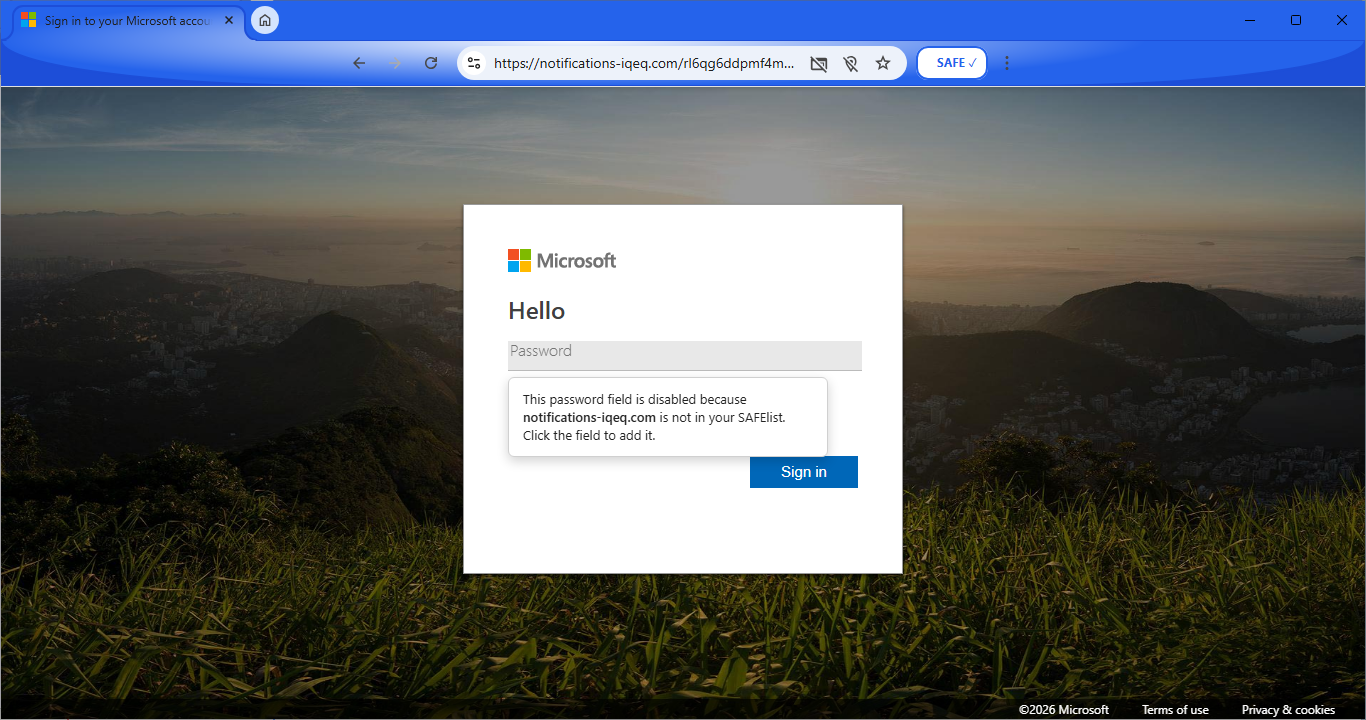
This is a Microsoft sign-in page. Except it isn't. It's a fake, and it's a good one! The same layout, same background, same logo, same "Hello" welcoming you and prompting you to type in your password like you've done thousands of times before.
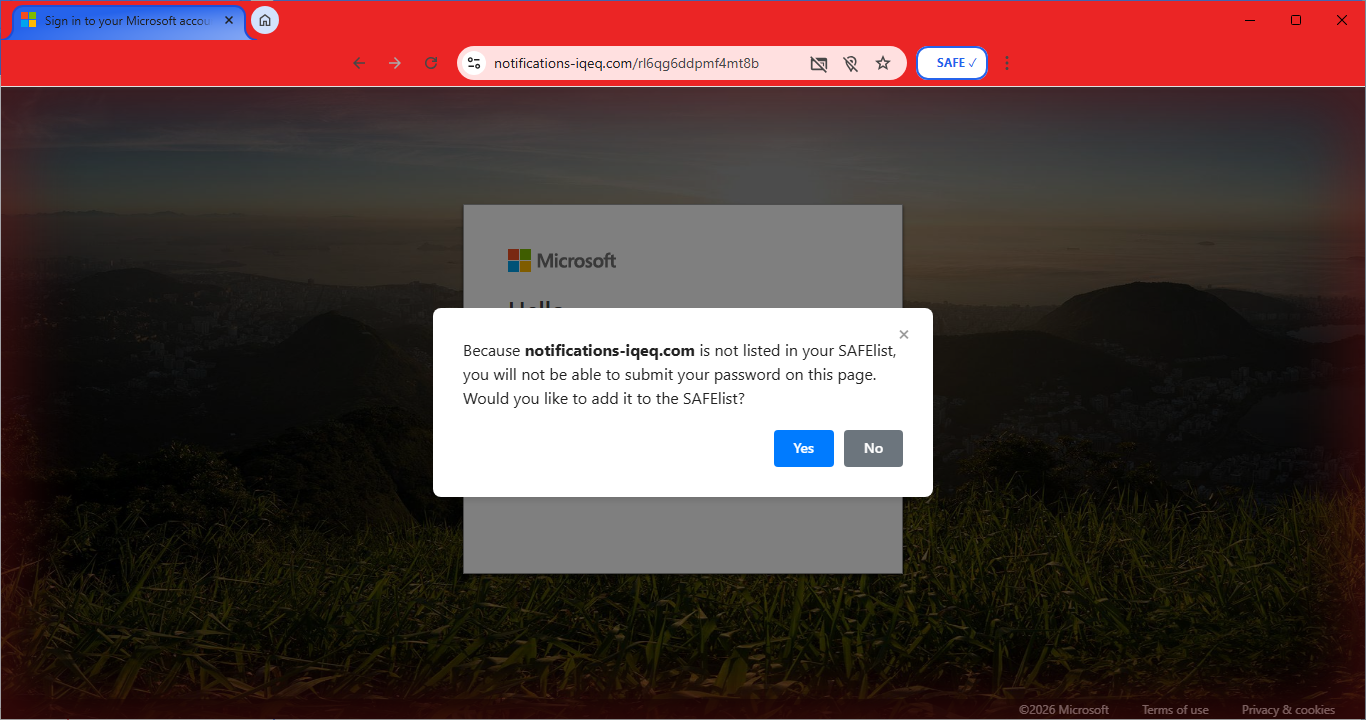
Fake #2: The one built for your company
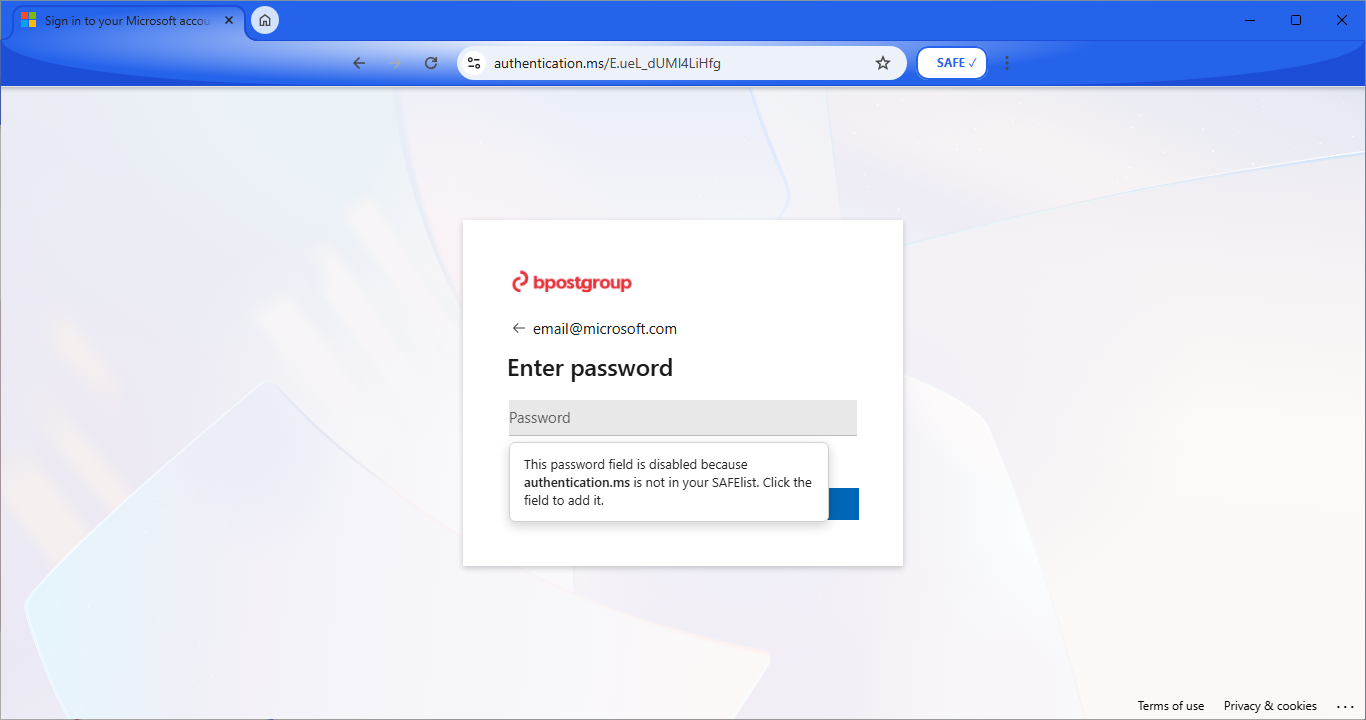
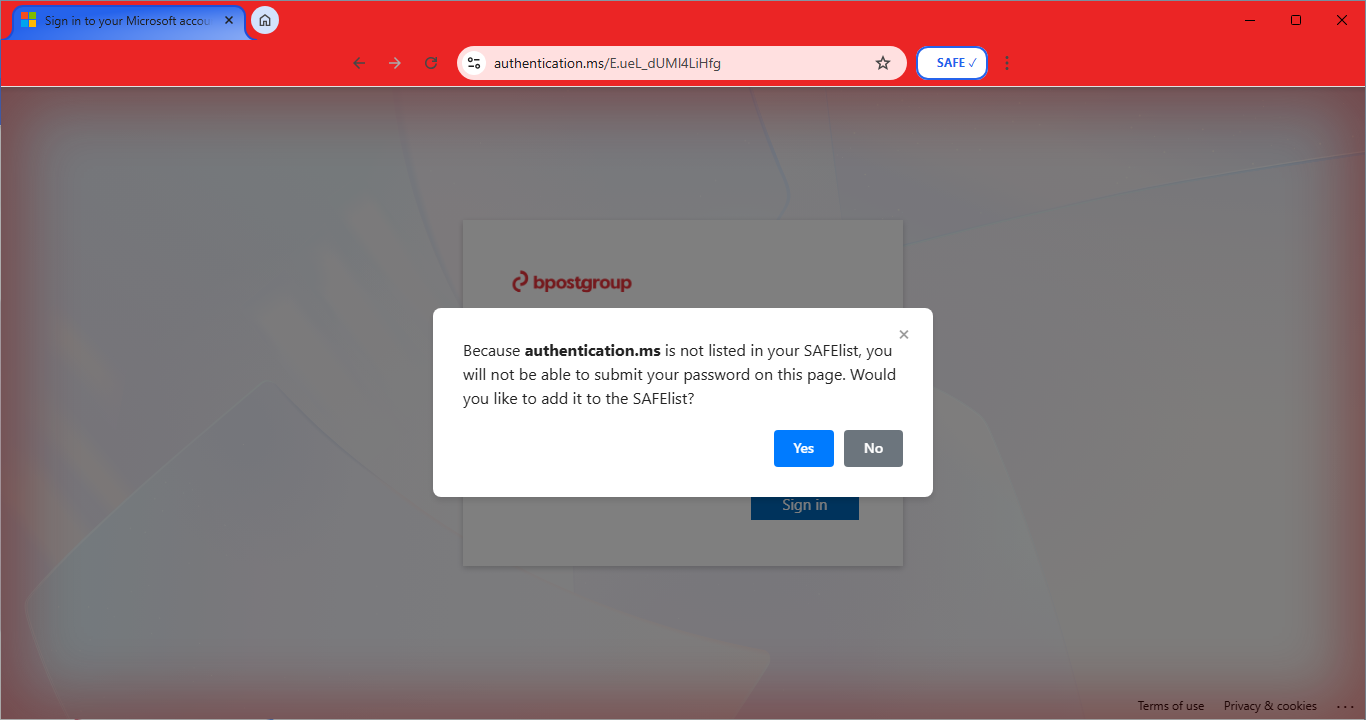
This is the one that should worry you. It's a Microsoft login dressed up with a real company's name and branding: the kind of page built for one target, to fool that company's own employees. This is spear phishing, and it's the most effective attack there is, because it's personalized.
Here's the point
Notice what never mattered in either one: how good the fake looked.
That's the whole idea behind SAFE Portal. We assume the fakes are perfect, because more and more, they are. So we don't protect you by spotting bad design. We protect you by checking the one thing a phishing site can't fake: where it actually is and what it's actually doing.
Your employees shouldn't have to be forensic analysts just to open an email. With SAFE Portal, they don't have to be.
SAFE Portal is free to download and takes about two minutes to set up — no IT team required. Get it at SAFEPortal.to.